Project Management

Effective task management is almost always discussed in terms of what gets assigned and when work begins. But there is a quieter, more damaging problem hiding in most growing SMBs: nobody has a reliable picture of what actually got finished. When your team cannot consistently close the loop on completed work, the operational cost compounds fast — in duplicated effort, missed handoffs, and leaders who spend more time chasing status than making decisions.
This is not a motivation problem. It is a systems problem. When task management relies on verbal confirmations, scattered threads, or a mental model only one person holds, completion becomes invisible. Work that is done does not register as done — and your next process step stalls waiting for a signal that never arrives clearly.
The fix is not adding more check-ins. It is building a consistent closure layer into every workflow, so finished work is as visible and verifiable as work in progress. This article walks through a practical model for doing exactly that — and why it matters as much as any upstream task coordination you already have in place.
The Compounding Cost of Invisible Completion
Picture a five-person operations team managing vendor onboarding across three departments. Each week, tasks get created, assigned, and started. But without a structured way to signal and verify completion, team members spend significant time each day confirming whether something is actually done — asking in threads, following up in side conversations, or re-checking a shared doc that may or may not reflect reality.
Multiply that across every ongoing process — procurement, HR onboarding, compliance checks, cross-team handoffs — and the drag becomes structural. Work that should move automatically gets stuck at invisible handoff points. New hires cannot tell what is current. Leadership cannot distinguish between tasks that are in progress and tasks that finished two days ago but were never marked closed.
The irony is that most teams invest heavily in the front end of task management: intake, assignment, prioritization. The back end — closure, confirmation, and completion records — is treated as an afterthought. That gap is where operational consistency breaks down.
Workflow point | Without closure structure | With closure structure |
|---|---|---|
Status verification | Manual follow-up messages, unclear who to ask | Status visible in one place, no chasing required |
Handoff to next step | Depends on verbal or informal signal | Triggered automatically by task closure |
New hire visibility | Cannot tell what is current vs. completed | Completion history available and searchable |
Leadership reporting | Assembled manually from multiple sources | Real-time view from task tracking system |
Process improvement | No completion data to analyze | Completion patterns inform future planning |
A Practical Model: The Work Closure Loop
The Work Closure Loop is a three-part model for making task completion as deliberate and visible as task creation. It is not a complex system — it is a discipline applied consistently across every workflow your team runs. The three parts are: structured closing, confirmed handoff, and completion record. Each one addresses a specific point where invisible completion causes downstream problems.
This model sits inside your existing task management approach. You do not need to replace your current workflow — you need to add a reliable back end to it. The goal is that when someone finishes a piece of work, that completion is captured, communicated, and filed without relying on anyone's memory or availability.
Part One: Structured Closing in Task Management
Structured closing means that every task has a defined "done" state — and reaching it requires a specific action, not just stopping work. This sounds obvious, but most teams skip it. A task is considered done when the assignee stops working on it, not when it is formally closed with context attached.
In practice, structured closing means building a brief close-out step into your task management template. When a task moves to complete, the assignee adds: what was delivered, any relevant files or links, and whether anything downstream needs attention. This takes under two minutes and eliminates an entire category of follow-up conversations.
Consider a recurring compliance check that three departments depend on. Without structured closing, the person who ran the check marks it done in their own mental model — but their colleagues are still waiting. With structured closing, the task record includes a brief note, the relevant document attached, and a flag if the next step is now unblocked. The information travels with the task, not through a separate message.
Part Two: Confirmed Handoff as a Task Management Standard
Completion means nothing to a process if the next person in the chain does not know work is ready for them. Confirmed handoff is the mechanism that connects one task's closure to the next task's start. It turns completion from a private event into a shared signal.
This does not require automation or complex tooling. It requires that your task management setup has a clear owner for every dependent step, and that closing a task triggers — even manually — a notification or status change visible to that owner. The key word is "confirmed": the receiving party acknowledges they have picked it up, closing the gap where work sits finished but unacknowledged for days.
Think about a new hire onboarding checklist. IT finishes the system access setup. Without confirmed handoff, HR does not know to schedule the day-one orientation. With it, IT's task closure automatically surfaces the HR onboarding task as unblocked and ready to start. The process moves on its own logic, not on someone remembering to message someone else.
Part Three: Completion Records That Make Task Management Auditable
The third part of the Work Closure Loop is the least glamorous and the most underrated: keeping a searchable, structured record of what was completed, by whom, and when. This is what separates a team that learns from its processes from a team that repeats the same mistakes every quarter.
Completion records serve three distinct operational functions. First, they give new team members a reliable source of truth — they can see how a process ran last time, what was delivered, and who made which decisions. Second, they give operations managers a factual basis for workload conversations and capacity planning. Third, they create an audit trail for any regulated process, without requiring anyone to reconstruct history from memory.
The practical standard is simple: every completed task should be accessible by project, date, and assignee, with whatever closing notes were added. If your current task management system makes this difficult to retrieve, that is a signal to review your tooling — not just your habits.
Applying the Work Closure Loop With Morningmate
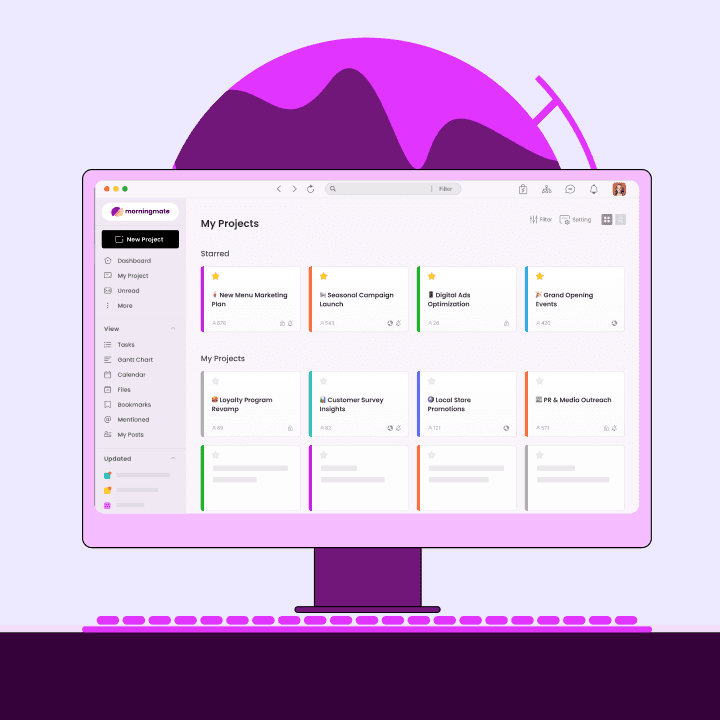
Here is how this model works as a concrete, standardized flow using Morningmate, a lightweight work management platform used by over 550,000 teams. Morningmate combines task tracking, built-in chat, and a shared project feed in a single workspace — making it straightforward to run the Work Closure Loop without switching between tools.
Scenario: Monthly supplier review process, shared across procurement and finance.
Step 1 — Structured closing. The procurement lead creates a recurring task in Morningmate with a close-out checklist built into the task description: summary of findings, updated supplier scorecard attached, and a flag indicating whether any follow-up actions were identified. When the review is complete, the assignee fills in those fields before moving the status to Done. Nothing leaves the task record — the information lives where the task does.
Step 2 — Confirmed handoff. The finance lead is listed as a dependent task owner in the same project. When the procurement task closes, the finance task — reviewing payment terms against the scorecard — moves to Active and the finance lead receives a notification inside Morningmate. No message is sent manually. The signal travels through the task management system, not through a side conversation that could be missed.
Step 3 — Completion record. Both tasks, their closing notes, and the attached scorecard remain in the project history. When a new operations coordinator joins the team, they can search the project in Morningmate and read exactly how the last three monthly reviews were run — including what was flagged and how it was resolved. Morningmate's AI Smart Search feature lets them ask a plain-language question like "what was flagged in the April supplier review" and receive the answer with its source and the exact task it came from, rather than scrolling through months of records manually.
This is what standardized task management looks like in practice: not a heavier process, but a more complete one. The work gets done the same way it always did — the difference is that completion is captured, connected, and retrievable.
Before and After: Task Management With a Closure Layer
Situation | Before closure layer | After closure layer |
|---|---|---|
Ops manager checking progress | Messages multiple people, waits for replies | Opens task board, sees live status instantly |
Cross-team handoff | Person A thinks they told Person B; Person B did not notice | Task closure triggers next owner's notification automatically |
Onboarding a new team member | Knowledge lives in one person's head or buried in chat | Completion records show how processes actually ran |
End-of-quarter review | Team reconstructs what happened from memory and notes | Task history pulled directly from task management system |
Duplicate work risk | High — unclear what was done and by whom | Low — closed tasks are visible and dated |
Implementation Checklist: Add Closure to Your Task Management Today
You do not need to redesign your entire task management system to apply this model. Start with the highest-volume, most cross-functional process your team runs and add the closure layer there first. Once it becomes habit in one workflow, it spreads.
Define "done" for every recurring task type. What must be included before a task can close? Create a one-line standard for each task category your team runs regularly.
Add a close-out field to your task templates. At minimum: what was delivered, any files attached, next step flagged. Keep it to three fields or fewer — friction kills compliance.
Assign a named owner to every dependent task before the upstream work starts. If nobody owns the next step, handoffs will still fail even with a perfect closure signal.
Make completion visible at the project level. Your task management tool should give you a view of what closed this week without needing to open individual tasks.
Build completion records into onboarding. New hires should be directed to closed task history as part of their first week — not just documentation, but real work records.
Run a weekly five-minute closure audit. Every Friday, confirm that all tasks marked "done" this week have closing notes and that no dependent tasks are still waiting on a signal.
Review task completion patterns quarterly. Look at which task types consistently close late or incompletely — that is where your next process improvement lives.
Consistent task management is not just about starting work on time — it is about ending it cleanly enough that the whole organization can move forward without friction. When completion is as structured as creation, your team stops losing momentum to invisible gaps and starts compounding the value of every finished piece of work. That is how operations at a growing SMB scales without breaking.