Project Management
If your marketing team is still juggling campaign briefs in email threads and chasing approvals over WhatsApp, free project management software for marketing teams might be the single most impactful change you make this year. Marketing workflows are uniquely complex — they involve tight deadlines, multiple stakeholders, constant creative revisions, and cross-functional dependencies that most generic tools simply weren't designed to handle. The good news? You don't need a five-figure software budget to bring real structure to your team's work.
Free project management software for marketing teams has evolved dramatically. What once meant stripped-down, feature-limited trials has become a genuinely usable category of tools — many of which support unlimited tasks, file sharing, and team collaboration out of the box. The challenge isn't finding a free tool anymore. It's finding the right one that your team will actually use.
This guide breaks down what to look for, which features matter most for marketing work specifically, and how to evaluate your options so your team spends less time managing tools and more time executing campaigns.
Why Marketing Teams Have Unique Project Management Needs
Marketing teams don't work like engineering teams. There's no sprint backlog or ticket queue — there are content calendars, campaign launches, influencer briefs, ad creative reviews, and monthly reporting cycles all happening simultaneously. Free project management software for marketing teams needs to accommodate that kind of fluid, multi-threaded work.
According to Asana's Anatomy of Work report, marketing professionals spend nearly 60% of their time on work about work — status updates, searching for files, chasing approvals — rather than on the actual creative or strategic output they were hired to produce. That's a structural problem, and it's one that the right PM tool can directly address.
Three factors make marketing project execution especially challenging:
High volume of short-cycle tasks: A single campaign can generate dozens of micro-tasks across design, copy, paid media, and analytics.
External stakeholder involvement: Agencies, freelancers, and clients need access without full internal permissions.
Approval-heavy workflows: Creative assets go through multiple rounds of review, and tracking feedback is notoriously messy.
Free project management software for marketing teams should address at least two of these three pain points to be worth adopting.
Pain Point | Email + Messenger Approach | Dedicated Free PM Software |
|---|---|---|
Campaign task tracking | Scattered across threads | Centralized, assignable tasks |
File and asset management | Multiple inboxes, version chaos | Attached to tasks, versioned |
Approval tracking | Follow-up emails, easy to miss | Status-based, visible to all |
Cross-team visibility | Manager manually requests updates | Real-time dashboards |
Onboarding new team members | Relies on tribal knowledge | Documented, searchable history |
The Real Cost of Not Using Free Project Management Software for Marketing Teams
It's easy to assume that because a tool is free, the risk of not using it is low. But the cost of disorganized marketing work is very real — it shows up in missed deadlines, rework cycles, duplicated effort, and team burnout. The Project Management Institute estimates that poor project management practices result in organizations wasting an average of 11.4% of their investment on poorly performing projects.
For marketing teams specifically, the hidden costs compound quickly. When your designer doesn't know which version of a brief is final, they redo work. When your content writer doesn't see the campaign deadline has moved, the blog post misses the launch window. These aren't hypotheticals — they're weekly occurrences for teams relying on email and personal messenger apps for coordination.
What to Look for in Free Project Management Software for Marketing Teams
Not all free PM tools are built the same. Some cap you at three users. Others hide core features behind a paywall disguised as a "free tier." When evaluating free project management software for marketing teams, filter by these non-negotiables first.
Task Management That Matches How Campaigns Actually Work
Marketing campaigns don't live in a single list. You need the ability to assign tasks to individuals, attach due dates, set priority levels, and link related tasks together. Task coordination across a content campaign — from brief to publish — might involve eight to twelve separate steps across three different team members. Your PM tool needs to handle that without requiring a manual setup every time.
Built-In Communication, Not Just Task Boards
One underappreciated feature in free project management software for marketing teams is integrated communication. When chat lives separately from tasks, context gets lost. Someone sends feedback on a design via Slack, but the designer is looking at the task in a different tool — things fall through the gaps. Tools that combine task workflows with contextual messaging eliminate this problem.
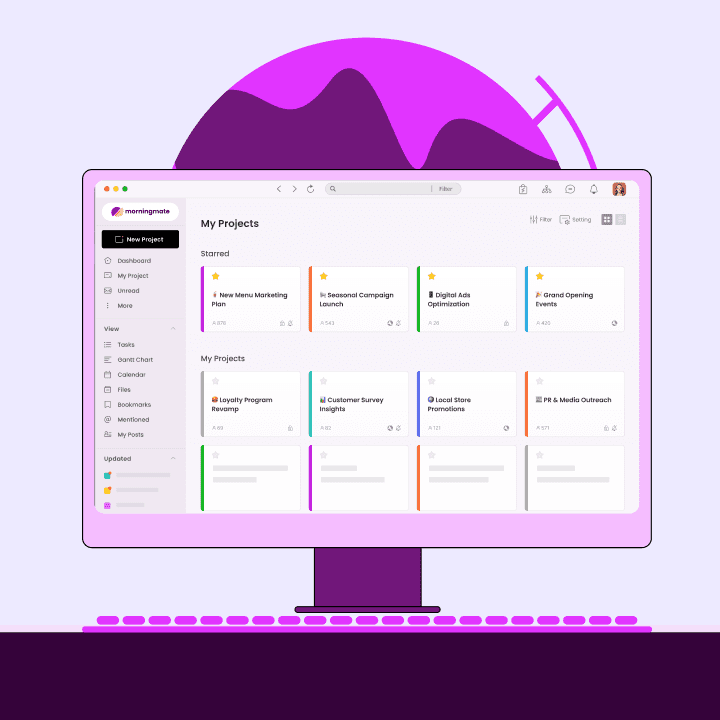
This is where Morningmate stands out. It's a lightweight work management tool that combines task management with a built-in chat that looks and feels like WhatsApp — familiar enough that even non-technical team members adopt it quickly. With over 550,000 teams using it globally, the tool is designed specifically for teams that need simplicity without sacrificing structure.
File Management That Doesn't Require a Separate Drive
Marketing teams live and die by assets — logos, copy drafts, campaign images, video cuts. If your free project management software for marketing teams can't store and organize files alongside the relevant tasks, you're still managing two separate systems. Look for tools that let you attach files directly to tasks and keep them searchable.
A View That Gives Your Manager Visibility
Whether you're a team lead, an operations manager, or a business owner trying to get a pulse on what's in progress, you need a bird's-eye view. Harvard Business Review research has consistently shown that status-update meetings are among the biggest time drains in knowledge work — and the primary reason teams hold them is the absence of a shared, always-current view of work. Good free PM software eliminates the need for those check-in meetings entirely.
How to Set Up Free Project Management Software for Marketing Teams: A Practical Framework
Picking the tool is only half the battle. The way you set it up determines whether your team sticks with it past week two. Here's a simple framework for onboarding free project management software for marketing teams without overwhelming your workflow.
Step 1: Map Your Campaign Types First
Before creating any boards or projects, list the three to five types of campaigns or recurring workflows your team runs. This might include product launches, weekly newsletters, social media content, paid ad campaigns, and event promotions. Each of these should become its own project workspace in your tool.
Step 2: Define Your Task Stages
For each campaign type, agree on the standard stages a task moves through. A content piece might go through: Brief → Draft → Internal Review → Client Review → Approved → Published. Encoding these stages into your task workflow from day one prevents improvised systems from creeping back in.
Step 3: Assign Ownership, Not Just Responsibility
Every task should have exactly one owner — the person responsible for moving it forward. Teams that assign tasks to groups or skip assignments entirely end up with the same coordination chaos they had before. Free project management software for marketing teams only works when ownership is explicit.
Step 4: Move Your Conversations Into the Tool
This is the hardest step but the most important. If your team keeps falling back on WhatsApp or email for task-related conversations, the PM tool becomes a one-way update system rather than a real coordination hub. Commit to a 30-day trial where all task feedback and project communication happens inside the tool. After 30 days, most teams don't go back.
Morningmate's Feed view — which displays project updates in a social-media-style stream — makes this transition easier than most tools because it's immediately intuitive. Team members don't need onboarding sessions to understand it; the interface resembles platforms they already use daily. This makes it particularly effective for non-technical teams adopting collaboration software for the first time.
Comparing the Top Free Project Management Software for Marketing Teams
Here's an honest look at how different categories of free project management software for marketing teams stack up against the specific needs of marketing workflows.
The pattern here is consistent: heavier tools built for engineering or enterprise workflows tend to overwhelm marketing teams with configuration requirements. Free project management software for marketing teams works best when it's designed for people who want to move fast without becoming tool administrators.
Feature | Heavy Tools (e.g. Jira, Asana) | Lightweight Tools (e.g. Morningmate) |
|---|---|---|
Setup time | Days to weeks | Under an hour |
Non-tech team adoption | Requires training | Immediate, familiar UI |
Built-in team chat | Often add-on or separate | Native and integrated |
File management | Available but complex | Attached to tasks, simple |
Free tier value | Limited, pushes upgrades | Genuinely functional free plan |
Suited for marketing teams | Built for engineering workflows | Built for cross-functional teams |
The Impact: What Changes When Marketing Teams Use Free PM Software
The outcomes of switching to dedicated free project management software for marketing teams aren't abstract. Teams that make the switch consistently report faster campaign turnaround, fewer missed deadlines, and dramatically less time spent in status-update meetings. The productivity gains show up quickly — usually within the first two to four weeks of consistent use.
These improvements don't require an expensive tool or a six-month implementation. They require consistency — and that starts with picking a tool simple enough that your whole team actually commits to it. If you're exploring options, also consider how your remote or hybrid team communicates alongside task management, since the two are deeply connected.
Getting Started with Free Project Management Software for Marketing Teams
The best free project management software for marketing teams is the one that removes friction rather than adding it. If your team is currently coordinating across email chains, scattered spreadsheets, and personal messenger apps, almost any structured PM tool will be an upgrade. But if you want adoption to stick, prioritize simplicity and communication features over feature quantity.
Morningmate was built precisely for this scenario — teams that need real work coordination without the overhead of enterprise-grade platforms. Its combination of task management, built-in chat, and a Feed view that mirrors social media means your team's learning curve is nearly flat. And because it's used by over 550,000 teams worldwide, you're getting a tool that's been refined through real-world marketing and operations use.
Start small: pick one active campaign, move its tasks into your new tool, and run it for two weeks with your team. That single experiment will show you more than any feature comparison chart. The teams that get the most from free project management software for marketing teams aren't the ones who planned the perfect setup — they're the ones who started using it and iterated from there.