Project Management

If your team has ever lost a critical update inside a WhatsApp group or spent twenty minutes hunting for a file buried in email threads, you already understand why work management for non-technical teams has become one of the most urgent priorities of 2026. Non-technical teams — think HR, operations, marketing, finance, and retail — are often handed tools built for software engineers, then left to figure it out alone. The result? Missed deadlines, duplicated work, and a communication mess that slows everyone down.
The good news is that work management for non-technical teams has evolved significantly. A new generation of tools is designed around simplicity first, making it possible for any team — regardless of technical background — to track tasks, share information, and collaborate without a steep learning curve. According to McKinsey's research on organizational effectiveness, companies that improve team coordination and communication can see productivity gains of 20–25%. That number is hard to ignore.
This guide breaks down exactly what non-technical teams need from a work management tool, which features actually matter, and how to choose a solution your whole team will actually use — not just the one person who set it up.
Why Work Management for Non-Technical Teams Is Different
Non-technical teams have unique needs. Unlike engineering or product teams, they rarely think in sprints, backlogs, or Kanban boards by default. Their work is often relationship-driven, deadline-heavy, and highly dependent on fast communication. When you hand a HR manager a tool that requires onboarding documentation and three training sessions, adoption drops to near zero within a week.
Effective work management for non-technical teams means prioritizing intuitive interfaces, quick setup, and features that map to how these teams already work. The bar for usability is higher — not lower — because there is no internal IT team to troubleshoot or champion the tool.
Here is a clear picture of where traditional approaches break down compared to purpose-built solutions:
Challenge Area | Traditional Approach (Email + WhatsApp) | Purpose-Built Work Management Tool |
|---|---|---|
Task visibility | Scattered across inboxes and chat groups | Centralized, always visible to the team |
File management | Files lost in long email chains | Attached directly to tasks and posts |
Team communication | Mixed personal and work messages | Dedicated workspace channels |
Onboarding time | Immediate, but chaotic long-term | Days, not weeks — with lasting structure |
Decision tracking | No record, easily forgotten | Logged and searchable in one place |
The Biggest Pain Points Holding Non-Technical Teams Back in 2026
Before choosing any tool, it helps to name the real problems. Asana's Anatomy of Work report consistently finds that employees spend a significant portion of their week on coordination work — chasing updates, attending status meetings, and searching for information — rather than the actual work they were hired to do. For non-technical teams, this overhead is even more pronounced because they often lack structured systems to begin with.
The most common pain points for teams without a proper work management setup include:
Scattered task tracking: Assignments live in emails, sticky notes, or verbal agreements — none of which scale.
No single source of truth: Different team members work from different versions of documents or different understandings of priorities.
Communication overflow: Group chats become noisy and urgent messages get buried under casual conversation.
Poor knowledge sharing: When someone leaves, their process knowledge walks out with them because nothing was documented centrally.
Manager blind spots: Leaders have no easy way to see what is in progress, what is blocked, and what is done without calling a meeting.
What to Look for in a Work Management Tool for Non-Technical Teams
Not every tool marketed as a "project management solution" actually works for non-technical teams. The criteria below will help you filter the noise. Keep these front of mind as you evaluate any platform.
1. Familiarity of Interface
Your team adopts what feels natural. If a tool looks like a developer's dashboard on day one, adoption will stall. Look for interfaces that mirror apps your team already uses — social media-style feeds, chat layouts similar to WhatsApp, or simple card views. The faster a new hire can navigate the tool without training, the better.
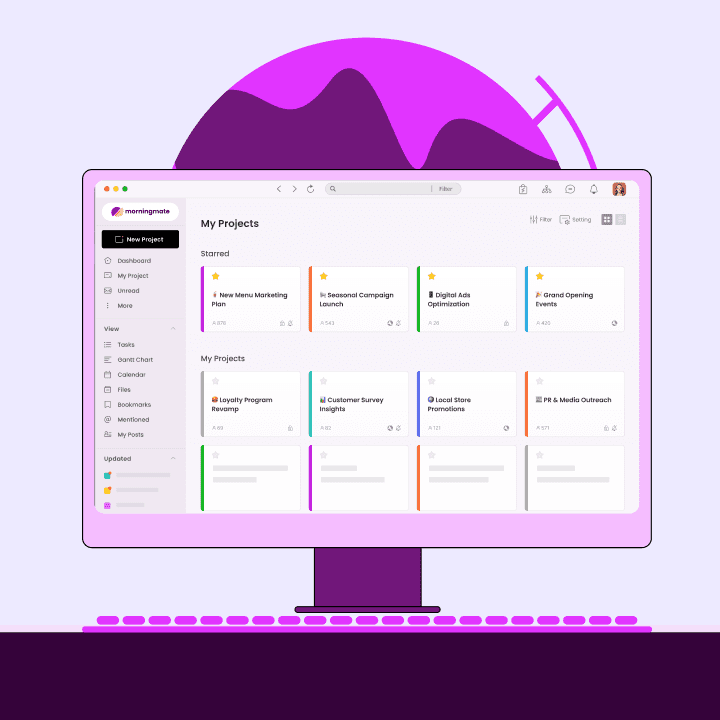
This is exactly where Morningmate stands out. Its Feed view resembles a social media timeline, making it immediately familiar. The built-in chat uses an interface similar to WhatsApp, so your team members — whether they are in HR, finance, or sales — can start communicating and tracking work from day one without reading a manual. Over 550,000 teams worldwide use Morningmate precisely because it meets people where they already are.
2. Integrated Task Tracking and Communication
When your task workflow lives in one app and your communication lives in another, context gets lost between the two. The best tools for non-technical teams keep tasks and conversations in the same place. That means less context-switching, fewer dropped balls, and faster decisions.
3. Easy File and Knowledge Management
Files shared in WhatsApp expire. Attachments in email threads are nearly impossible to find six months later. A solid work management platform should let your team attach files directly to tasks and posts, so documents stay connected to the context in which they were created. This is the foundation of good knowledge management for any non-technical team.
4. Visibility for Managers Without Micromanaging
Operations leads and business owners need a bird's-eye view of work status without pulling everyone into a meeting. Harvard Business Review notes that leaders who give teams autonomy — while maintaining visibility — build higher trust and performance. Your work management tool should support this balance by surfacing progress automatically.
Work Management for Non-Technical Teams: A Feature Comparison
To make the right choice, your team needs to evaluate tools side by side — not just on feature lists, but on practical fit. Here is how common tool categories stack up for non-technical use cases specifically:
Feature | Heavy PM Tools (Jira, Asana) | Morningmate | Email + WhatsApp |
|---|---|---|---|
Setup time for non-tech users | Days to weeks | Hours | Instant (but no structure) |
Built-in task tracking | Yes (complex) | Yes (simple) | No |
Built-in team chat | Limited / add-on | Yes (WhatsApp-style) | Partial (WhatsApp only) |
File management | Yes (advanced) | Yes (task-linked) | No structure |
Suitable for non-technical teams | Rarely | Yes — built for it | No |
How to Roll Out Work Management for Non-Technical Teams: A Practical Playbook
Choosing the right tool is only half the battle. The rollout — how you introduce it, train your team, and build habits — determines whether adoption actually sticks. Here is a simple playbook that works regardless of which tool you choose.
Step 1: Identify Your Team's Biggest Pain Point First
Do not try to solve everything at once. Ask your team: where does work most often fall through the cracks? If the answer is task coordination, start there. If it is file retrieval, focus on that first. Picking one high-impact problem to solve early builds momentum and trust in the new system.
Step 2: Run a Two-Week Pilot with One Project
Take a real, ongoing project and manage it entirely through the new tool for two weeks. Keep the scope small but realistic. This gives your team hands-on experience without the pressure of a full migration. Most importantly, it surfaces friction points early — before they become company-wide problems.
Step 3: Make the Tool the Default, Not Optional
The number one reason work management tools fail in non-technical teams is that they become optional alongside existing habits. If email and WhatsApp remain the primary channels, the new tool dies. Set a clear expectation: all work updates, task assignments, and file sharing happen in the new platform — full stop. Leadership modelling this behavior first makes the biggest difference.
Step 4: Review and Iterate After 30 Days
Hold a short retrospective at the 30-day mark. What is working? What is still confusing? Where are people still defaulting to old habits? Use this feedback to refine your setup — whether that means restructuring channels, adjusting task templates, or adding new team members to the platform. Work management for non-technical teams is a process, not a one-time event.
The Real Impact: What Changes When Non-Technical Teams Get the Right Tool
The shift from scattered tools to a unified work management setup is not just a productivity story — it is a culture story. Teams that know where to find information, who owns what task, and how to reach each other without digging through emails report higher job satisfaction and lower burnout. This matters especially in hybrid and remote environments, where the absence of physical presence makes clear systems even more critical.
Morningmate users across industries — from retail operations to marketing agencies — report that replacing email threads and personal messenger apps with a single, organized workspace reduces the time spent on status updates and lets managers focus on actual leadership rather than information chasing. With better team coordination tools in place, non-technical teams can finally run like the professional, capable units they already are.
Work Management for Non-Technical Teams: Your Next Step
Work management for non-technical teams does not have to be complicated — in fact, it should not be. The best system is the one your team will actually use consistently, day after day. That means choosing simplicity over feature overload, prioritizing integrated task tracking and communication, and rolling out with intention rather than just turning on a new app and hoping for the best.
If your team is still relying on email threads and personal messenger apps to manage work in 2026, the cost is real — in time, in clarity, and in the energy your people spend managing chaos instead of doing great work. Effective work management for non-technical teams is not a luxury reserved for tech companies with dedicated IT departments. It is a practical, achievable upgrade that any team can make — starting this week.